










 Shop By Category

 Subscribe
 More Options
10
Refined results Refine
10
Refined resultsMac microsoft office

NOW
£ 31.00
£ 399.00
Microsoft Office 2024 Home & Business for Mac - Lifetime Licence
2464 bought

NOW
£ 15.00
£ 119.00
Microsoft Office Home & Business 2021 for Mac - Lifetime Licence
567 bought

NOW
£ 18.00
£ 235.12
Microsoft Office 2024 Standard Professional Edition Software License - Digital Download for Mac (Lifetime)
1161 bought
NOW
£ 19.00
£ 119.99
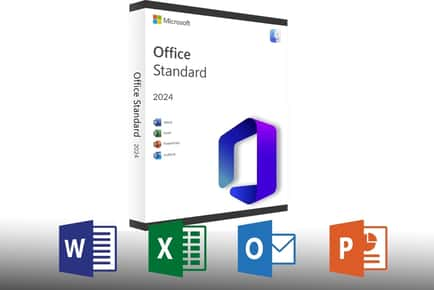
PRICE DROP! Microsoft Office Standard 2024 For Mac - Lifetime Software License
4246 bought

NOW
£ 16.90
£ 149.90
Lifetime Microsoft Office 2024 for Mac: Full Suite - 1 - 10 User Licence Option
591 bought
NOW
£ 29.99
£ 249.95
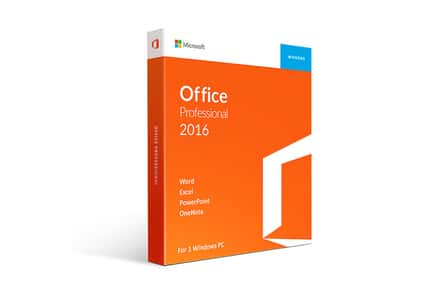
Microsoft Office 2016 for Mac - Home & Business Software License - Digital Download - Professional Edition - Office Suite for macOS
1037 bought

NOW
£ 19.00
£ 198.00
Microsoft Office 2024 Standard for Mac Lifetime Licence
44 bought
NOW
£ 29.99
£ 199.00
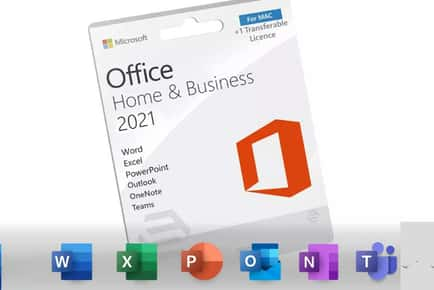
Microsoft Office Home & Business 2016 or 2019 for Mac - Software License, Digital Download, Professional Edition
3576 bought

NOW
£ 25.90
£ 119.90
Microsoft Office 2024 for Mac - Lifetime Licence - Word, Excel, PowerPoint & Outlook
82 bought

NOW
£ 24.95
£ 105.99
Microsoft Office Standard 2019 Professional Edition Software License - Digital Download for Mac (Lifetime, Global Compatibility)
96 bought
Transform your productivity on a Mac with our exclusive selection of Mac Microsoft Office. At Wowcher UK, we understand how essential reliable software is for work, study, and creativity, which is why we curate combinations of classic Office apps and modern subscriptions that deliver value without compromising performance on macOS.
Picture yourself composing documents in Word for Mac, crunching numbers in Excel for Mac, delivering polished presentations in PowerPoint for Mac, and staying organized with Outlook on your Mac , all supported by flexible licensing and big savings. Our deals bring these powerful tools to you with ease and affordability.
Unbeatable Deals on Microsoft Office for Mac
Discover Office for Mac bundles, Microsoft 365 for Mac, and one-time purchase options that pair macOS compatibility with feature-rich apps like Word for Mac, Excel for Mac, PowerPoint Mac, and Outlook Mac. Whether you’re a student, a professional, or a small business owner, our Mac Office deals help you stay productive without stretching your budget.
From student discounts on Office 365 Mac subscriptions to family plan savings for households with multiple Macs, Wowcher UK brings you genuine value on trusted software from Microsoft. Enjoy easy activation, cloud syncing with OneDrive Mac, and seamless collaboration with teammates using Microsoft 365 online services.
Frequently Asked Questions
What to Consider When Choosing Office for Mac?
First, identify your needs: do you prefer a subscription like Microsoft 365 for Mac with ongoing updates, or a classic Office for Mac perpetual license? Consider how many devices you use, because Office for Mac multi-device licenses can offer better value for households with several Macs or iPads used for work.
Next, assess storage and collaboration requirements. A OneDrive Mac integration makes file access across devices effortless, while real-time collaboration in Word, Excel, and PowerPoint on Mac can streamline teamwork. Also think about whether you need Outlook integration, calendar sharing, and advanced Excel features for data analysis.
Finally, compare pricing plans including Office 365 Mac personal, family, or business options, and read the fine print about updates, support, and occasional feature changes. Our Wowcher listings help you evaluate these factors with clear savings and trusted brands.
What Versions of Mac Are Compatible with Microsoft Office?
Microsoft Office for Mac supports the latest macOS versions, with compatibility typically extending to popular releases like macOS Ventura and newer. If you’re running older hardware, check the minimum system requirements for Word for Mac, Excel for Mac, and PowerPoint Mac before purchasing. Our Wowcher offers often highlight the most compatible Office for Mac editions and the corresponding macOS requirements, ensuring you don’t buy software that won’t run smoothly on your device.
For users on Intel-based Macs or Apple Silicon, both versions of Office for Mac are designed to run efficiently, but you’ll want to confirm whether features like real-time co-authoring or advanced data models in Excel are supported on your machine.
What Are the Most Popular Office Apps for Mac?
The core trio remains Word for Mac, Excel for Mac, and PowerPoint Mac, forming a powerful productivity suite for most users. Outlook Mac is essential for email and calendar management, while OneNote for Mac provides a flexible space for notes and ideas. For teams, Microsoft Teams and OneDrive Mac enable seamless collaboration and file sharing. If you work with data, the robust charting, functions, and pivot tables in Excel for Mac are especially popular, and PowerPoint Mac helps you deliver compelling presentations across devices with smooth transitions and media embedding.
For students, bundles that include Office 365 Mac subscriptions often include 1 TB of OneDrive storage per user, which is a major advantage for cloud backups and remote assignments. Businesses frequently look for multi-user licenses and admin controls within Microsoft 365 for Mac to manage devices and licenses efficiently.
How Do I Install and Activate Microsoft Office on a Mac?
Installation is straightforward. If you have a Microsoft 365 for Mac subscription, sign in with your Microsoft account through the official site or the App Installer, and the applications will download automatically. For a one-time purchase, you’ll receive a product key or a link to download, followed by activation via your Microsoft account. Ensure you’re connected to the internet during activation to verify licenses and receive updates.
Once installed, you can customize settings, set default save locations to OneDrive Mac, and enable auto-save in Word, Excel, and PowerPoint. If you collaborate with others, enable sharing and co-authoring features in real time, and take advantage of cloud backups and offline access when needed.
Can I Use Microsoft Office for Mac with Microsoft 365 online?
Absolutely. Microsoft 365 for Mac seamlessly integrates with the online versions of Word, Excel, PowerPoint, and Outlook. This hybrid setup lets you edit documents offline on your Mac and then sync changes when you’re back online. Online access is ideal for collaboration, keeping files up-to-date, and using additional cloud features like SharePoint and Teams. Our Wowcher listings highlight Microsoft 365 for Mac bundles that include cloud storage, ongoing updates, and cross-device compatibility so you can work anywhere, on any device, without losing progress.
Whether you’re buying a subscription for yourself, gifting a subscription, or stocking up for a small team, our deals cover both standalone Office apps for Mac and comprehensive Office 365 for Mac plans with generous storage and collaboration capabilities.