









 Shop By Category

 Subscribe
 More Options
4
Refined results Refine
4
Refined resultsAdobe indesign

NOW
£ 29.00
£ 299.00
Adobe InDesign 2026
393 bought

NOW
£ 29.00
£ 199.00
Adobe InDesign 2025
365 bought

NOW
£ 15.00
£ 399.00
Adobe Photoshop, InDesign & Illustrator Online Diploma Bundle
305 bought

NOW
£ 8.00
Online Adobe InDesign Certification Course - Creative Design Mastery
39 bought

NOW
£ 29.00
£ 199.00
Adobe Illustrator 2025
754 bought

NOW
£ 14.90
£ 20.90
Adobe Lightroom for Windows & Mac - 1-3 Months
8 bought

NOW
£ 29.00
£ 199.00
Adobe Substance 3D 2025 Suite License
168 bought

NOW
£ 29.00
£ 242.00
Adobe Acrobat Pro 2025 Lifetime PDF Software for Windows PC Users
348 bought

NOW
£ 8.99
£ 24.98
Adobe Acrobat Standard — PDF Editing & Signing - 1 or 3 Month Subscription

NOW
£ 9.90
£ 19.90
Adobe Acrobat Standard DC - 1 or 3-Month Subscription - PDF Editing for Windows & Mac
37 bought
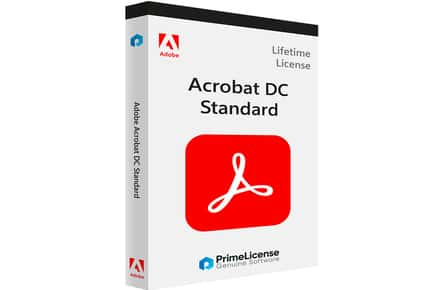
NOW
£ 59.00
£ 273.90
PRICE DROP! Adobe Acrobat Pro 2020 - Lifetime PDF Editor Licence for Windows - Edit, Sign & Convert
93 bought

NOW
£ 29.00
£ 58.90
Adobe Creative Cloud All Apps - 1 or 3-Month Plan - Photoshop, Illustrator & 20+ Apps - PC & Mac
495 bought

NOW
£ 35.00
£ 199.00
Adobe Premiere Pro 2025
1406 bought

NOW
£ 29.00
£ 199.00
Adobe Lightroom Classic 2025
1745 bought

NOW
£ 29.00
£ 299.00
Adobe Photoshop 2026 for Windows
3542 bought

NOW
£ 27.00
£ 299.00
Adobe Illustrator 2026 Lifetime License
1072 bought

NOW
£ 35.00
£ 299.00
Adobe Lightroom 2026 Lifetime License
1657 bought

NOW
£ 14.90
£ 20.90
Adobe Photoshop for Windows & Mac - 1-3 Months
53 bought

NOW
£ 25.00
£ 299.00
Adobe Acrobat Pro DC Licence for Windows
1646 bought

NOW
£ 29.00
£ 199.00
Adobe After Effects 2025 Lifetime License
202 bought

NOW
£ 33.00
£ 190.00
Adobe Photoshop 2026 Lifetime Licence for Professional Creatives
220 bought

NOW
£ 29.00
£ 190.00
Adobe Lightroom 2025 Lifetime for Windows - Advanced Photo Editing Suite
8 bought

NOW
£ 29.90
£ 55.90
Adobe Substance 3D Collection: Full Suite & 20,000+ Assets Included
1 bought

NOW
£ 39.90
£ 85.90
Adobe Express Premium Suite - 6 or 12-Month Licence with 195M+ Assets & AI
18 bought

NOW
£ 39.99
£ 85.99
Adobe Express Premium - Social Media & Graphic Design - 6 or 12 Month Subscription

NOW
£ 14.90
£ 25.90
1-Month Adobe Acrobat Pro Subscription with 100GB Cloud Storage
12 bought

NOW
£ 39.00
£ 145.90
PRICE DROP! Adobe Acrobat Pro 2019 - Lifetime PDF Editor for Windows - Edit, Convert & Sign PDFs
53 bought

NOW
£ 17.90
£ 25.90
Adobe Photoshop & Lightroom - 3-Month Photography Plan - 20GB Cloud - PC & Mac
34 bought
Discover exceptional value on Wowcher UK with our curated selection of Adobe InDesign deals. Designed for professionals and aspiring designers alike, these offers combine software access, training, and ready-to-use assets to help you deliver stunning layouts fast. Whether you’re learning adobe indesign or mastering Adobe InDesign, these deals cover all your needs.
From layout templates to typography precision, Adobe InDesign empowers you to craft professional layouts for print and digital publishing. Our Wowcher listings bring together discounted software access, project templates, and learning resources so you can elevate your publishing game without breaking the bank.
Unbeatable Deals on Adobe InDesign Software and Training
Grab reduced-price subscriptions to Adobe InDesign through Creative Cloud bundles, starter plans for individuals, and bonus tutorial packages that cover basics to advanced typography, master pages, styles, color management, and interactive publishing. Whether you need classic print layouts or dynamic digital catalogs, these offers help you create professional results with precision.
Our listings also spotlight bundles that pair InDesign access with essential templates, fonts, and workflow guides, so you can hit the ground running. Save on training courses, video tutorials, and project files that teach you practical techniques for layouts, margins, bleeds, and preflight checks.
Frequently Asked Questions
What to Consider When Choosing Adobe InDesign Deals?
First, identify your project type, magazines, brochures, annual reports, books, or eBooks, and pick a deal that includes templates and assets tailored to that format. Consider whether you need print-ready workflows (PDF/X-4, CMYK color, bleed and margins) or digital publishing options (interactive PDFs, fixed-layout EPUB).
Hardware and software compatibility matter. Ensure your computer meets the recommended specs for Adobe InDesign, and verify that the deal aligns with a Creative Cloud subscription or plan that suits your usage pattern (monthly vs annual). Look for bundles that include updates and reliable access to fonts, color profiles, and asset libraries.
Quality templates and learning resources are priceless. Prefer offers that include well-designed InDesign templates for brochures, flyers, magazines, catalogs, and reports, plus step-by-step tutorials on master pages, paragraph styles, character styles, and object styles to streamline your workflow.
What Are the Most Popular Types of Projects You Can Create with InDesign?
InDesign shines across a wide range of projects. The most popular include professional magazines and periodicals with multi‑column layouts, corporate brochures and annual reports with precise typography, product catalogs and lookbooks that showcase imagery with strong grid systems, and books or eBooks that require clean chapters, captioning, and consistent styling. You can also produce interactive PDFs for portfolios, newsletters, and digital catalogs that engage readers with links and simple animations.
Templates can speed up every workflow, from starter page grids and master pages to paragraph and character styles, color swatches, and automated table of contents. InDesign templates are especially helpful for designers who frequently produce the same formats for clients or teams.
How Do I Start with Adobe InDesign as a Beginner?
Begin with a current Creative Cloud plan that includes InDesign. Open the app, explore the default workspace, and enable essential panels such as Pages, Paragraph Styles, Character Styles, Swatches, and Layers. Create a new document with the correct page size and margins, then set up master pages for consistent headers, footers, and design elements. Import text and images, format with paragraph and character styles, and use the Links panel to manage placed assets. Add bleeds and trim marks for print-ready output, then export a PDF for print or a fixed-layout EPUB for digital publishing. Practice with templates and follow structured tutorials to gradually build confidence and speed.
If you’re upgrading from another design tool, take advantage of transition guides and InDesign tutorials included in many Wowcher bundles. Regular practice with real-world projects will help you internalize typography rules, grid systems, and efficient asset management.
What File Formats Can I Export from InDesign and Which Should I Choose?
InDesign exports a variety of file formats. For print, the standard is a high-quality PDF, typically PDF/X-4, with embedded fonts and defined bleeds. For professional printing workflows, use Press-Ready PDFs with proper color profiles (CMYK) and proofing marks. For digital publishing, export interactive PDFs with buttons, hyperlinks, and multimedia, or export to EPUB (reflowable) and fixed-layout EPUB for books and magazines that maintain design fidelity on e-readers. For interchange with other design teams, use IDML (InDesign Markup Language) to open the project in older or newer versions without losing layout integrity. You can also export flattened images (JPEG/PNG) for web usage, or export individual images for asset libraries.
Understanding preflight checks and packaging ensures your document includes all fonts and linked assets, reducing last-minute print hiccups. With the right settings, InDesign exports can meet most publisher requirements and client specifications.
Are There Training Courses or Template Bundles Included in Wowcher Offers?
Many Wowcher deals on Adobe InDesign bundle training videos, step-by-step courses, and practical templates that cover common design scenarios. Look for bundles that pair software access with practical projects, magazines, brochures, catalogs, and eBooks, and accompanying guides on typography, color management, and layout best practices. Training options often include downloadable assets, project files, and checklists to help you apply what you learn immediately to real-world work.
Remember that while you can access InDesign through a Creative Cloud plan, the trial version of InDesign itself is limited. Wowcher offers are typically focused on discounted subscriptions, templates, and training resources that complement the software, helping you maximize value and shorten your learning curve.
Is InDesign Suitable for Digital Publishing and Interactive Documents?
Yes. InDesign excels at digital publishing, offering support for interactive PDFs, embedded multimedia, and navigation features ideal for portfolios and online catalogs. Fixed-layout EPUBs preserve precise layout for tablets and e-readers, while digital catalogs and lookbooks can be enhanced with hyperlinks, slide reveals, and simple animations. For publishers and marketing teams, InDesign provides a robust workflow from design to export, ensuring consistent typography and layout across formats. Look for Wowcher deals that include templates and guides tailored to digital publishing to maximize your results without increasing cost.